
The Video view
YouTube will not take a mix as sound alone. The Video view shows the selected mix as a video: a template that moves to the music, with a few things to fill in, such as a colour, a logo and the artist's name. Switch to it with the bar at the bottom of the window, or Tab.
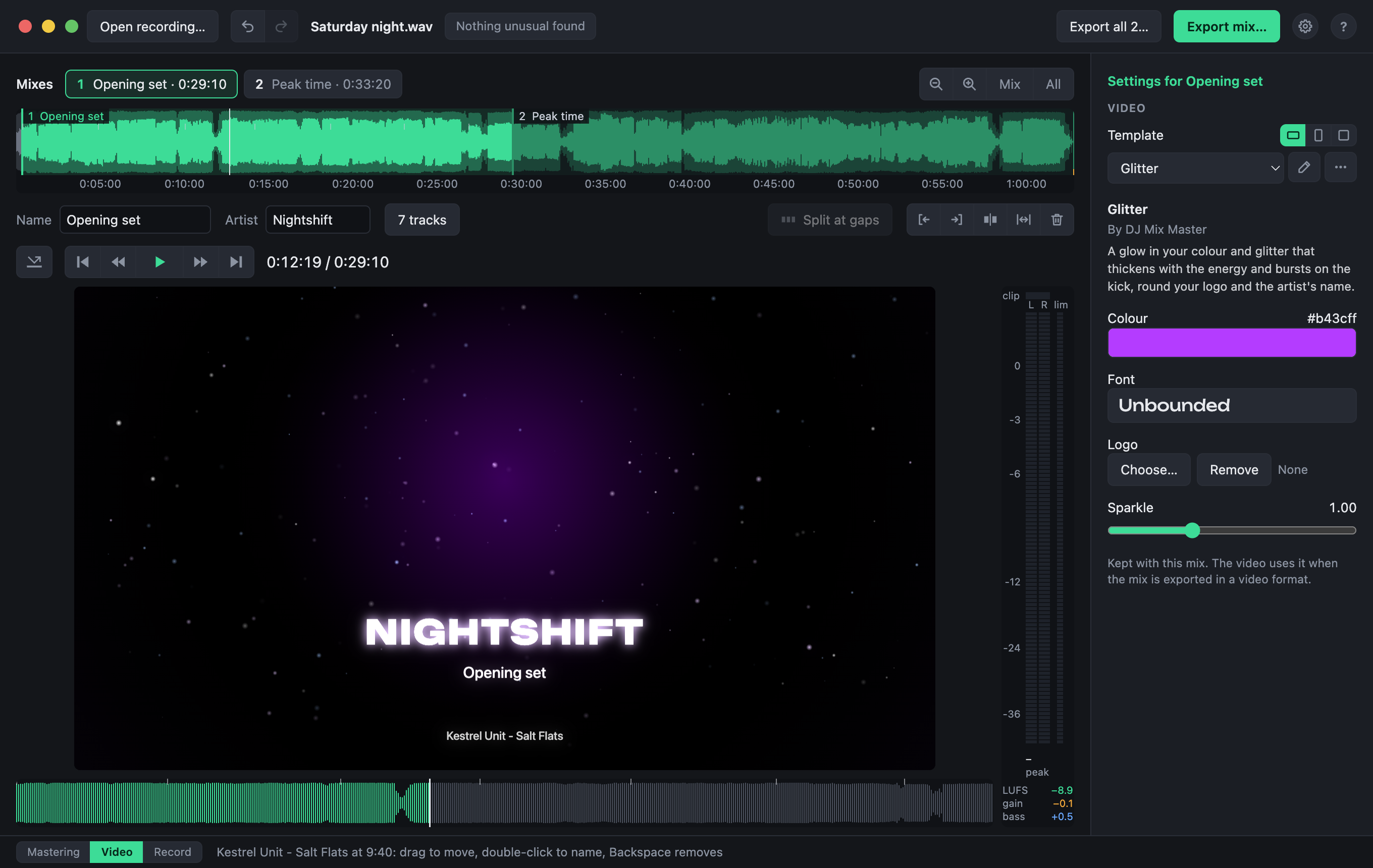
The recording's timeline and the transport stay as they are; the curves give way to the picture, and the settings to the template's.
Choosing a template
Pick one from the list under Template. These come with the app:
- Glitter: a glow in your colour, with glitter that bursts on the kick.
- Spectrum ring: the spectrum round your logo.
- Waveform: the sound going by.
- Photo: a photo of your own behind the names.
- Original video: the recording's own picture, for a set that was filmed.
What you choose is kept with the mix, and undone like any other change. The ⋯ button beside the list creates a new, empty template, duplicates, imports, exports or deletes templates, and shows who made one.
Filling it in
Under the template are its fields: what it asks of you, such as a colour, a logo or a font. What you fill in is kept with the mix. Names come from the mix itself: its name and artist in the Mastering view, and its tracks.
The shape
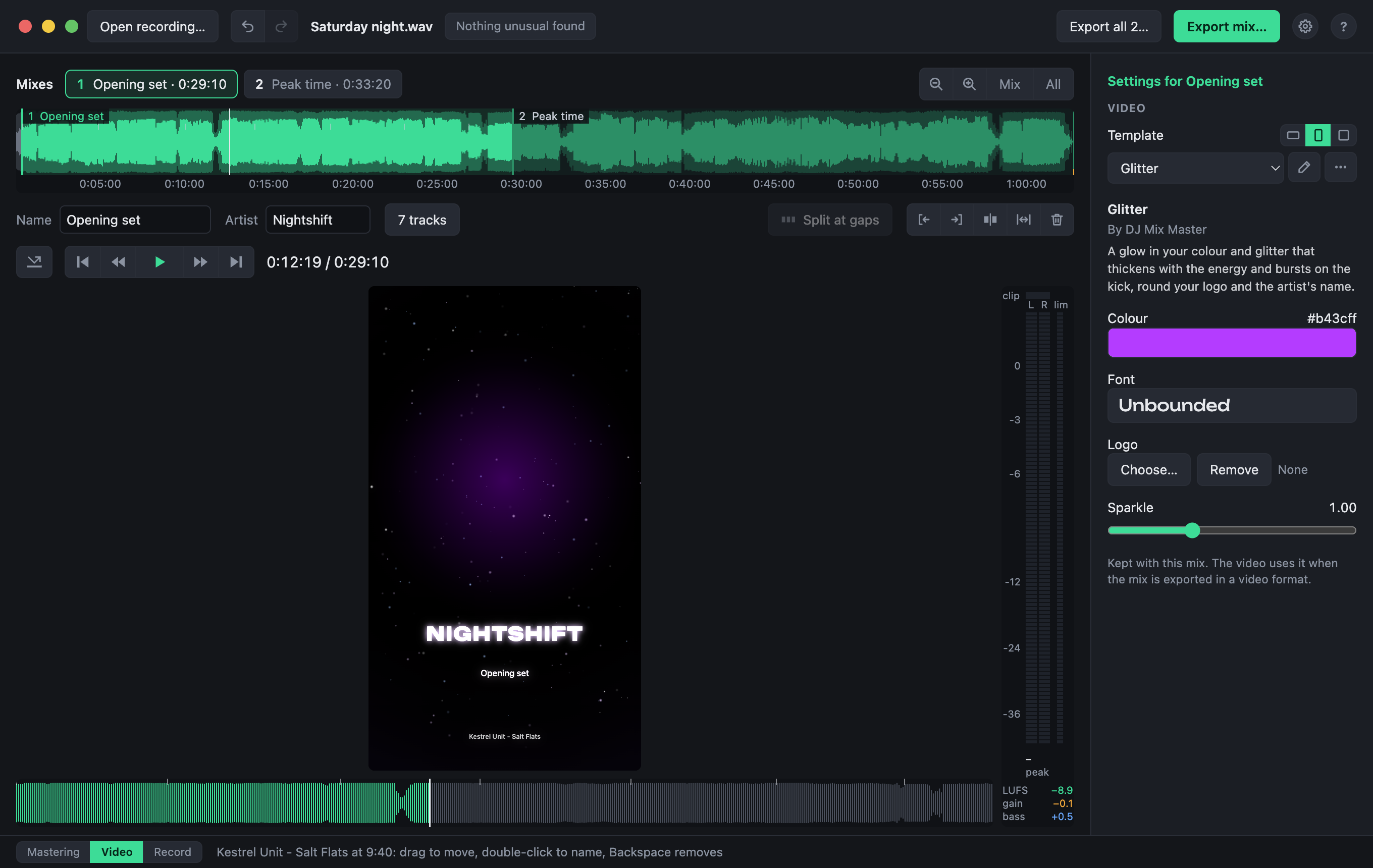
The three small buttons beside Template choose the picture's shape:
| Shape | Size | For |
|---|---|---|
| Landscape | 1920 × 1080 | YouTube |
| Vertical | 1080 × 1920 | Phones: Reels, Shorts, TikTok |
| Square | 1080 × 1080 | Feeds |
Every template works in each: positions follow the picture's width and height, and sizes its short side, so a title that fits a landscape picture still fits across a vertical one.
A recording that is a video
A template's video layer can show the recording's own picture, in step with the music. If the picture runs ahead of the sound or behind it, as some cameras' do, set Picture delay: a positive delay shows each frame later.
Videos that have moved
A template's video clips are found where they were kept. If one has moved, the Video view says so: Locate… finds it, and the template's other videos in the same folder with it.